On Budtello, Oregon's wholesale cannabis marketplace, you post a request stating what you want and the most you will pay, then review the quotes sellers send back and open a conversation with whichever one you like.
How to do it
- Fill in Pounds and Max price, both required; narrow it down if you want with Type, Grow, Grade, Nose and THC
- Leave Incognito ticked so sellers see "a verified buyer" instead of your name, or untick it to post under your name
- Click Check the market first to see what is already for sale close to your ask, then click Post request
- Look at the Quotes column to see how many sellers quoted and the best price, with New marking any quote since your last visit
- Click the row, or Open, to see every quote with the seller, strain, grade, pounds and price per lb, then click Open conversation to talk to that seller in Messages
Video
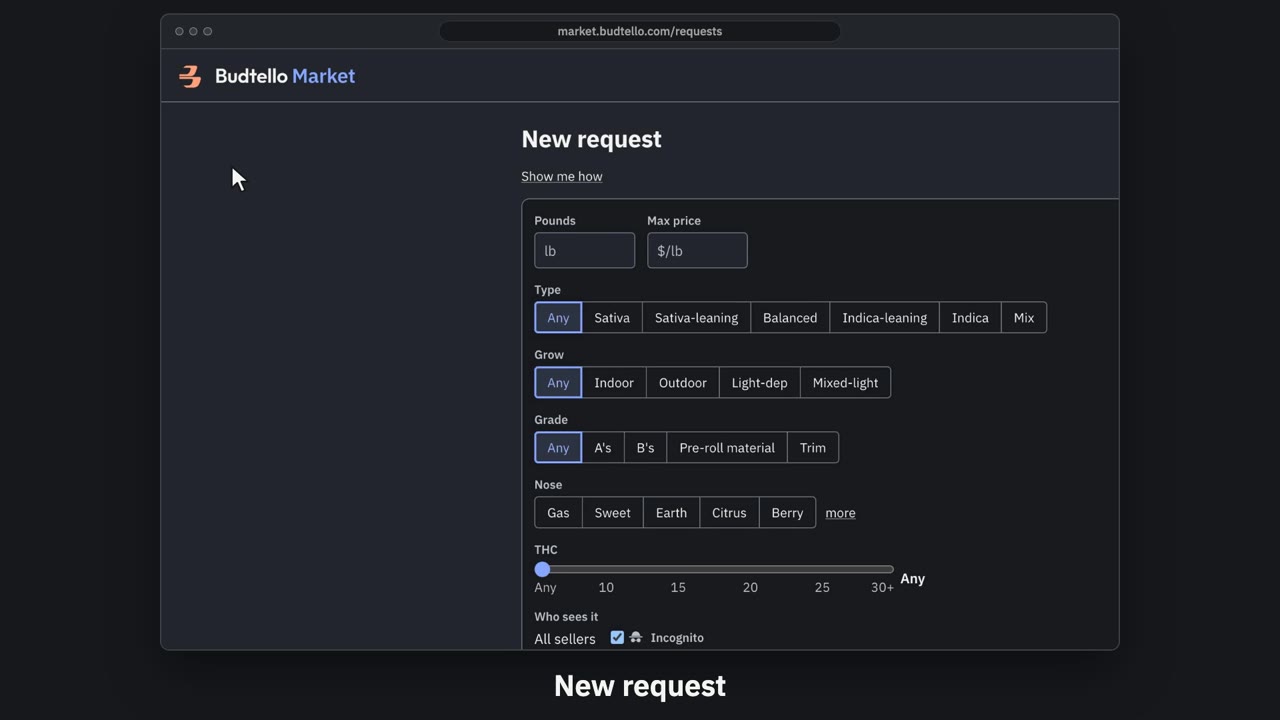
Post a request and read quotes · 0:57
Video transcript
How to post a request and read the quotes. Can't find it on the market? Post a request, and sellers quote you. On Requests, press New request. Fill in the pounds, and the most you'll pay a pound. Narrow it down if you like. Incognito is on: sellers see a verified buyer, until they quote. Check the market first. It shows what's already for sale close to your ask. Then post it. Posted. It runs for fourteen days. When sellers quote, the Quotes column says how many, and the best price. Open it. Every quote: the seller, strain, pounds and price. Only you see them. The full guides are in Budtello's help pages.
Good to know
- Only you see the quotes on your request, and no seller sees another seller's quote
- Incognito hides your name from sellers until one of them sends a quote
- A request runs for 14 days and you can have 5 active at a time