This changed. Budtello has changed since this answer was checked; it is being rewritten.
Yes. On Budtello, Oregon's wholesale cannabis marketplace, you can set one markup or discount and apply it to every ticked lot in an offer at once, instead of pricing each lot by hand.
How to do it
- Click Create offer (or Offer on a narrow screen) with your lots ticked. Untick any row to leave it out.
- Under Set your prices, use the buttons beside Adjust all selected to move every ticked row's price at once.
- Give any lot that shows it needs a price an Offer $/lb before you go on.
- Under Who it's for, type the customer's name into Customer, and add a Note if you want one.
- Move the slider under How long it's good for to set how long the offer lasts, then click Create and copy email. The screen shows "Sent — live now", the link, and Undo for 30 seconds.
Video
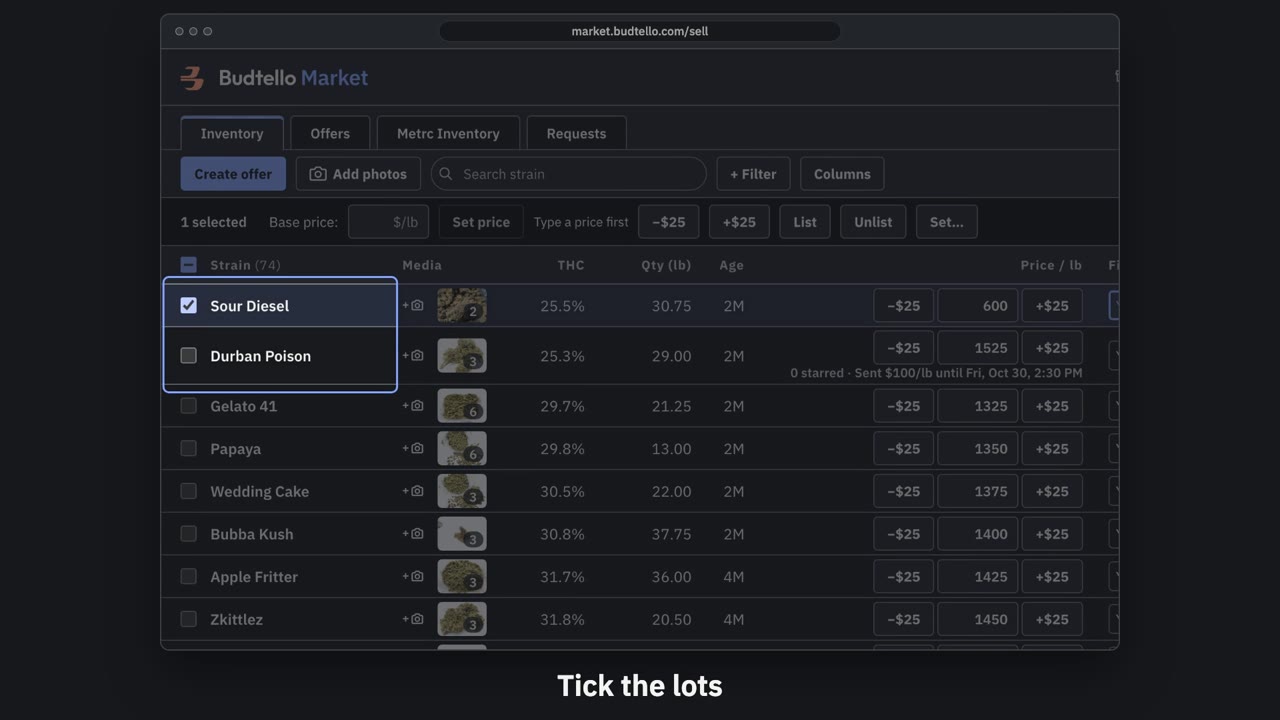
Make an offer and send it · 0:50
Video transcript
How to send a private offer. Tick the lots for this customer. An offer is a private price, for them alone. Press Create offer. Your list price, beside the price for this customer. Move them all at once, or type any price. Who it's for, and a note they'll see. How long it's good for: fourteen days, unless you change it. Here, seven days. Press Create and copy email. It's live, with thirty seconds to undo. Paste it into Gmail; they open it with no account. The full guide is in Budtello's help pages.
Good to know
- A lot with no price can still go into the offer and becomes a private listing at the offer price, without changing your prices on the market.
- Undo stops the link within 30 seconds of sending.
- The customer opens the offer link without needing a Budtello account.